
Bluetooth adapter
SD-Link Bluetooth adapter for Becker AR620X / AR6211
Becker AR620X / AR6211 Bluetooth adapter – seamlessly connect your radio to compatible navigation apps such as SkyDemon, Sky-Map, VFRnav, and EasyVFR. Plug-and-play with the AR6203, AR6211, and AR6201 from serial number 3001 (NG) onwards; the remote RT6201 and RT6211 are wired to J1.
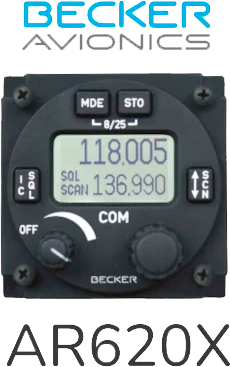
SD-Link AR620X / AR6211
Bluetooth Low Energy (BLE) adapter for Becker AR620X VHF radios — transmits frequencies from SkyDemon and Sky-Map directly to the radio. Plug & Play connection to port J1 on the AR6201, AR6203, and AR6211; operates via the data interface (no onboard power supply required). For AR6201 models with serial number 3001 or higher; AR6203 and AR6211 without restrictions. For the remote RT6201 and RT6211 models, the adapter is wired to J1. For experimental use only.
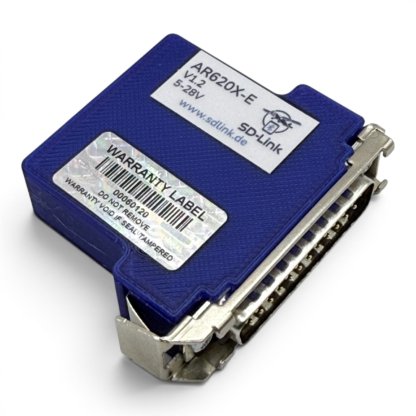
SD-Link AR620X / AR6211
Bluetooth Low Energy (BLE) adapter for Becker AR620X VHF radios — transmits frequencies from SkyDemon and Sky-Map directly to the radio. Plug & Play connection to port J1 on the AR6201, AR6203, and AR6211; operates via the data interface (no onboard power supply required). For AR6201 models with serial number 3001 or higher; AR6203 and AR6211 without restrictions. For the remote RT6201 and RT6211 models, the adapter is wired to J1. For experimental use only.
Add to CartFrequently asked questions
The manual page " Installation instructions for Becker AR620X / AR6211" bundles all instructions for the appropriate adapter variants – per navigation app, in up to 14 languages – including the entry you select in the app and the most common pitfalls.
All installation and setup instructions as well as data sheets can be found bundled on the Instructions & Downloads page – matching the radio and navigation app, as PDFs for download.
The SD-Link adapters for this device have been tested and are compatible with the following navigation apps:
- SkyDemon
- Sky-Map
- VFRnav
- EasyVFR
XCSoar only has a radio driver for Funke ATR833 and TQ KRT2 and is therefore not included here.
We'll explain step by step how to send frequencies from the app to the radio .
Yes, in addition to the Becker AR620X / AR6211, there are SD-Link adapters for other devices:
Also, the SD-Link Universal Adapter for hobbyists and special setups.
Note: The Becker AR6201 is supported from serial number 3001 (NG version) onwards — older AR6201 models are not. The AR6211 (successor to the AR6201) is supported without serial number restrictions.
The model-specific, automatically updated list – including devices that are not compatible – can be found under Supported Devices.
For the AR6201: serial number 3001 or higher and tandem mode activated (according to the Becker manual). Additionally, port J1 on the radio must be free – if a module (second intercom, PA expansion, switch) is already installed there, it must be moved before installation.
AR6203, AR6211 and RT6201 have no serial number restriction; port J1 must also be free there.
The plug-and-play adapters are simply inserted, not permanently installed – no modifications to the aircraft's wiring are required, and they can be removed at any time without leaving any residue. This is straightforward for ultralight and experimental aircraft.
The factual classification – also for certified aircraft (E-class) – can be found on the page Bluetooth adapters in airplanes: what is allowed?
Adapter finder or view all products
Let us guide you to the right option in three steps – or jump directly to the product overview.